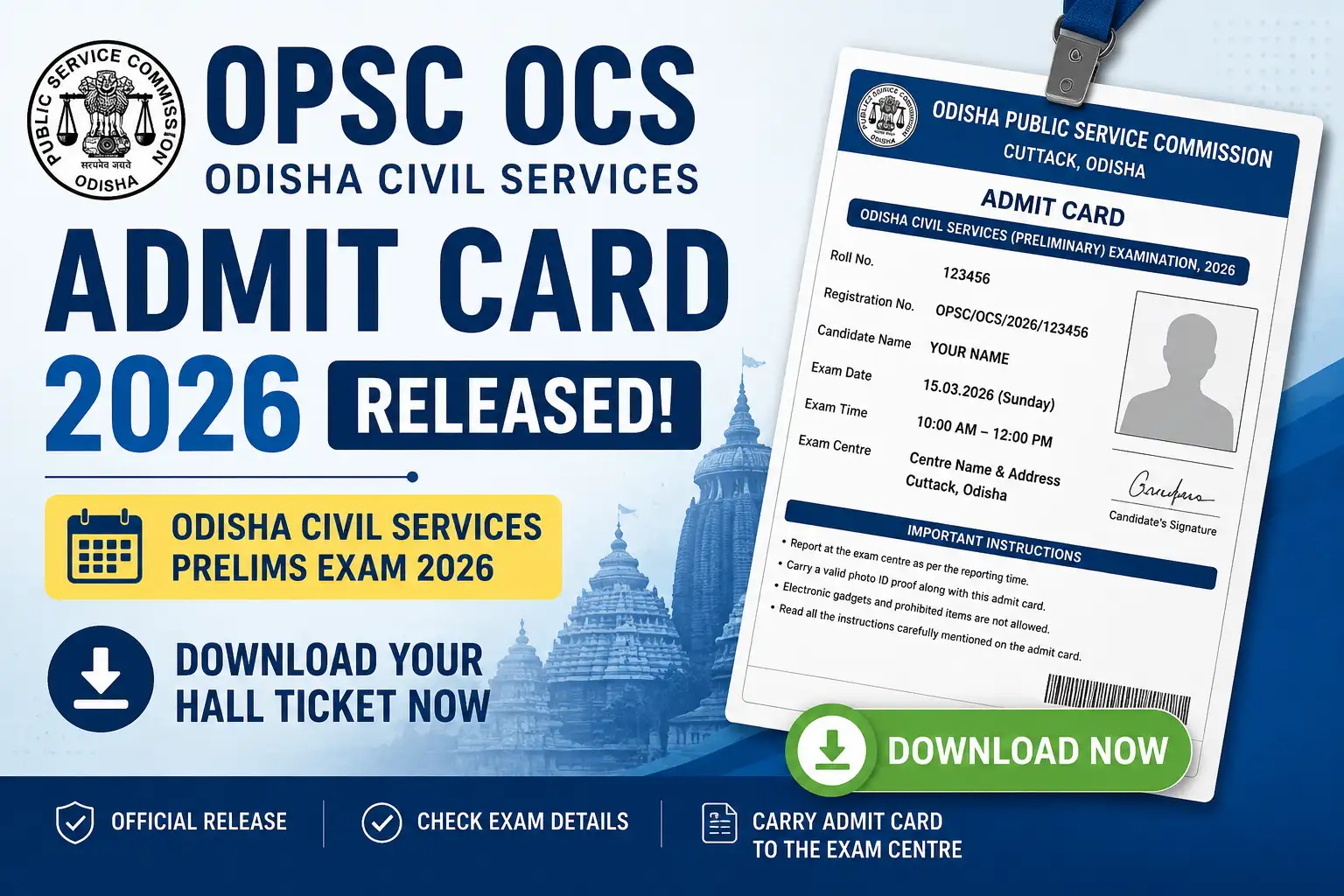
OPSC OCS Admit Card 2026 Released: Download Odisha Civil Services Prelims Hall Ticket.The Odisha Public Service Commission (OPSC) has officially released the OPSC OCS Admit Card 2026 for candidates appearing in the Odisha Civil Services (OCS) Preliminary Examination. Aspirants who have successfully completed the application process can now access their hall tickets online through the official portal.
The release of the admit card marks the final stage of preparation before the examination. Candidates are advised to download their admit cards as early as possible and carefully verify all the details mentioned on them. The OPSC OCS Prelims Exam 2026 is scheduled to be conducted on 7 June 2026 across various examination centres in Odisha.
OPSC OCS Admit Card 2026: Key Highlights
| Particulars | Details |
|---|---|
| Conducting Authority | Odisha Public Service Commission (OPSC) |
| Exam Name | Odisha Civil Services (OCS) Examination 2026 |
| Posts | Group A & Group B |
| Total Vacancies | 465 |
| Admit Card Release Date | 30 May 2026 |
| Preliminary Exam Date | 7 June 2026 |
| Exam Mode | Offline |
| Selection Process | Prelims, Mains & Interview |
| Admit Card Link | Download Here |
OPSC OCS Admit Card 2026 Download Link Activated
The commission has activated the admit card download facility on its official website. Candidates must log in using their registration credentials to access their hall tickets.
Since the examination is just around the corner, applicants should avoid waiting until the last moment to download the admit card. Heavy traffic on the website closer to the exam date may cause delays or technical issues.
Why Is the Admit Card Important?
The OPSC OCS Admit Card is one of the most important documents required on exam day. Without a valid admit card, candidates will not be allowed to enter the examination hall under any circumstances.
Apart from serving as an entry pass, the admit card contains crucial information such as:
- Candidate’s Name
- Roll Number
- Registration Number
- Examination Date
- Reporting Time
- Examination Centre Details
- Candidate’s Photograph and Signature
- Important Exam Instructions
Candidates should carefully check all details immediately after downloading the hall ticket. In case of any discrepancy, they should contact the commission without delay.
How to Download OPSC OCS Admit Card 2026?
Candidates can follow the steps given below to download their hall ticket:
Step 1
Visit the official website of OPSC.
Step 2
Click on the “Candidate Corner” section available on the homepage.
Step 3
Select the “Download Admission Certificate” option.
Step 4
Click on the link related to the Odisha Civil Services Preliminary Examination 2026.
Step 5
Enter your Registration Number/PPSAN and Date of Birth.
Step 6
Submit the details and download your admit card.
Step 7
Take a clear printout and keep multiple copies for future reference.
OPSC OCS Prelims Exam Schedule 2026
The preliminary examination will be conducted in two shifts on the same day.
| Paper | Timing |
|---|---|
| General Studies Paper-I | 10:00 AM to 12:00 Noon |
| General Studies Paper-II (CSAT) | 1:30 PM to 3:30 PM |
Candidates are advised to reach the examination venue at least one hour before the reporting time to complete verification formalities smoothly.
OPSC OCS Prelims Exam Pattern 2026
The preliminary stage consists of two objective-type papers carrying a total of 400 marks.
| Paper | Marks | Duration |
|---|---|---|
| General Studies Paper-I | 200 | 2 Hours |
| General Studies Paper-II (CSAT) | 200 | 2 Hours |
| Total | 400 | 4 Hours |
Exam Features
- Offline (Pen and Paper) Mode
- Multiple Choice Questions (MCQs)
- Two Papers
- Total Marks: 400
- CSAT is Qualifying in Nature
- Negative Marking Applicable
Documents Required on Exam Day
Candidates must carry the following documents to the examination centre:
Mandatory Documents
- Printed Copy of OPSC OCS Admit Card 2026
- Original Photo Identity Proof
Accepted Photo ID Proofs
- Aadhaar Card
- PAN Card
- Voter ID Card
- Passport
- Driving Licence
Other Recommended Items
- Passport-size Photographs
- Blue or Black Ballpoint Pen
Failure to produce the required documents may result in denial of entry to the examination hall.
Prohibited Items Inside the Examination Hall
Candidates must not carry the following items:
- Mobile Phones
- Smart Watches
- Bluetooth Devices
- Calculators
- Earphones
- Books or Notes
- Electronic Gadgets
Any candidate found carrying prohibited items may face disciplinary action.
Important Instructions for Candidates
As the examination date approaches, candidates should keep the following points in mind:
- Download the admit card well before the exam date.
- Verify all details printed on the hall ticket.
- Visit the exam centre location in advance if possible.
- Reach the venue before the reporting time.
- Carry a valid photo ID along with the admit card.
- Follow all instructions issued by the examination authorities.
- Maintain discipline throughout the examination process.
What If There Is an Error in the Admit Card?
If candidates notice any mistake in their name, photograph, signature, date of birth, or examination centre details, they should immediately contact OPSC for correction. It is advisable not to wait until the examination day to resolve such issues.